
Updated October 2026 · Reviewed by Billy Forte
You complete the Impact Texas Teen Drivers video online at the official DPS site: choose ITTD, register with the student’s details, watch all eight modules, print the certificate, and bring it to the driving skills test. The video runs 2 hours and costs nothing. Do it after behind-the-wheel training, and test within 90 days of the certificate date.
Key Facts
- Where: impacttexasdrivers.dps.texas.gov, run by Texas DPS. See step 1.
- Which program: Impact Texas Teen Drivers (ITTD), not the adult ITAD. See step 2.
- Sign-up: the form must use the student’s information. See step 3.
- Viewing: eight modules, each finished before the next. See step 5.
- At the test: a printed paper certificate, dated within 90 days. See step 7.
Before You Start
Check timing first. DPS says the program “must be completed after the behind the wheel driver education requirements and prior to taking the driving skills test.”
The ITTD FAQ is more specific. It says ITTD “should be completed after the 24 classroom hours and all behind the wheel instruction has been given.” So the classroom and in-car parts both come first.
Then check your setup. The main ITD portal lists these needs:
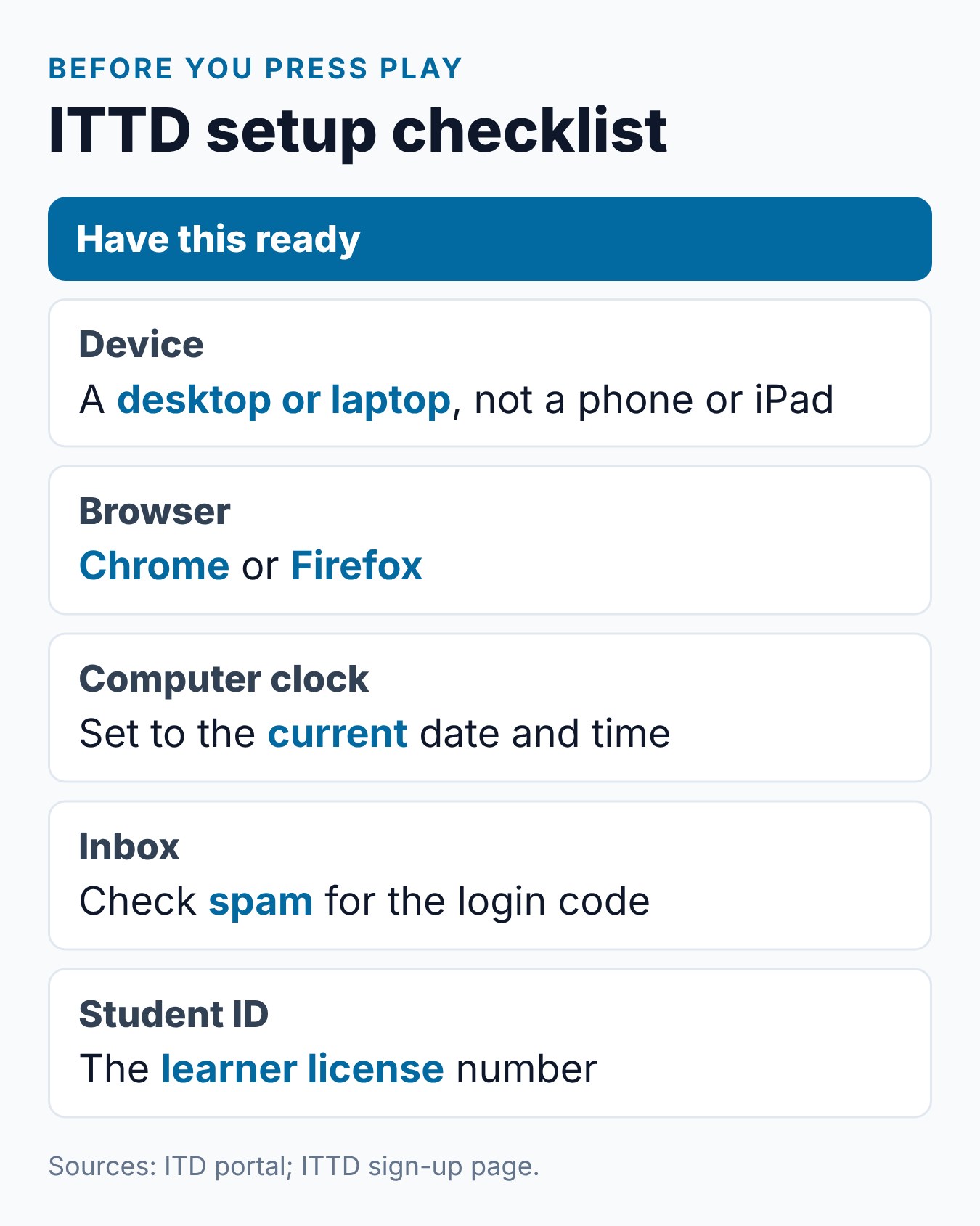
- A desktop or laptop. The video is not compatible with a cell phone, tablet or iPad.
- Chrome or Firefox. The site names Google Chrome and Mozilla Firefox.
- A correct clock. If you see an error about skipping, set the computer to the current date and time.
- No background programs. Close other programs, even ones not visible on screen.
You also need the student’s learner license number and an e-mail address. The sign-up form asks for both.
Step 1: Open the Official Site
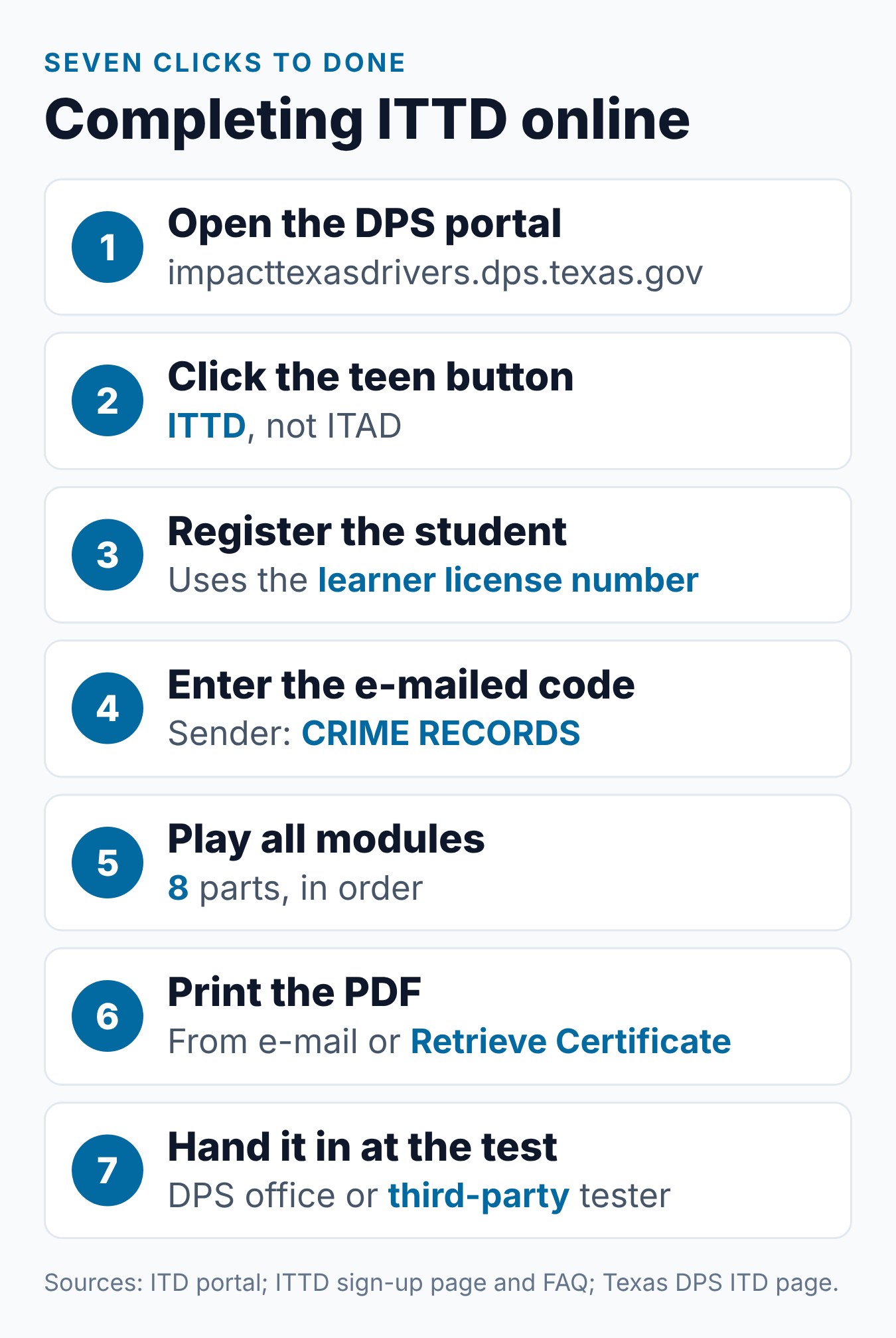
Go to impacttexasdrivers.dps.texas.gov. The page is titled “Impact Texas Drivers Portal,” and DPS runs it.
The DPS Impact Texas Drivers page links to this site. Starting from the DPS page is a simple way to be sure you are on the real one.
ITTD is free, so no payment screen should appear. The ITTD FAQ says DPS offers it “free of charge.”
Step 2: Pick ITTD, Not ITAD
The portal shows two programs. Click Impact Texas Teen Drivers, which opens the teen site at impacttexasdrivers.dps.texas.gov/ITTD.
The other link, Impact Texas Adult Drivers, goes to /ITAD/. DPS says that 1-hour video is for drivers 18 to 24 who must take adult driver education, and for drivers 25 or older.
DPS lists ITTD for drivers 15 to 17 in an approved parent-taught or minor driver education course. Our ITTD vs ITAD guide helps if you are unsure.
A student who has turned 18 has a choice. The ITAD FAQ says applicants 18 or older may complete either ITAD or the ITTD program.
Step 3: Create the Student Account
Click Register on the ITTD site. The sign-up page says, “This registration form must be completed with the student’s information.”
That rule matters later. The page warns that “The Completion Certificate will only print for the name registered on the account.”
Here are the fields the form asks for:
| Field | What to enter |
|---|---|
| Student’s e-mail | Becomes the user name; must not already be in use |
| Password | At least 8 characters, with upper case, lower case, a number and a special character |
| Security question | Pick one and give an answer |
| Student’s name | Last, first and middle name, plus suffix if any |
| Date of birth | In mm/dd/yyyy format |
| ZIP code | The student’s ZIP code |
| Driver education type | Parent Taught (PTDE), Driver Education School, High School, or Out Of State Equivalent |
| Learner license number | The student’s own number |
Driver Education Type Details
Each type asks one more thing. Parent Taught (PTDE) shows a menu to pick the course. Driver Education School asks for a TDLR number, which the form says “can be found on the DE-964 Certificate.” High School asks for a school number.
Step 4: Log In With the Code
Log in with the student’s e-mail and password. The site warns that it will then ask for an authorization code.
The code arrives by e-mail. The site says the message comes from “CRIME RECORDS.” If it is not in the inbox, check the spam or junk folder.
Step 5: Watch the Impact Texas Teen Drivers Video
Open the course and start the first module. The official ITTD FAQ says the video “is broken up into eight (8) modules that you can view independently.”
You do not have to finish in one sitting. But the FAQ says, “Each module must be completed in its entirety in order to progress to the next module.”
To come back later, log in again and use Continue Course from the Course Overview menu. For time planning, see how long ITTD takes.
Step 6: Print the Certificate
After the last module, the FAQ says a copy of the certificate “will be e-mailed to the address used to create an account.” You can also log in at any time and use Retrieve Certificate to print it.
Print it on paper. The FAQ says an electronic copy is not accepted at the driver license office or a third-party test school.
Keep the account details safe. Since you can log in and print again at any time, a lost printout does not mean a lost certificate.
Check the printout. Make sure the name is right and note the expiration date. Our ITTD certificate guide explains what to do with it.
What to Check on the Printout
Two details deserve a look. The FAQ says the certificate “displays an expiration date,” and the sign-up page says it prints only for the registered name.
So confirm the student’s name and write the expiration date on your calendar. Both matter on test day.
Step 7: Bring the Certificate to the Skills Test
DPS lists the last step plainly: “Bring your certificate to your driving skills test appointment. You cannot take the test without it.”
The test can be at a DPS office or with an approved third-party tester. DPS says third-party skills testing also requires ITD completion based on age.
For a DPS office test, book online first. The DPS provisional license page says to choose “Class C” under Road Skills Test, and to bring proof of current registration and insurance for the test vehicle.
Watch the 90 Days
The certificate is valid for 90 days. The FAQ says a teen who does not pass the skills test within 90 days of the certificate date “must restart the ITTD program.”
At the Test Office
DPS has a few rules for appointment day. Arrive no earlier than 30 minutes before the appointment, and do not run late: DPS cancels appointments after 30 minutes.
Keep the printed certificate with the other papers for the test. It is shown before the test starts, not after.
If Something Goes Wrong
Small problems can stall the process. Here is what the official pages say for each one.
The Login Code Did Not Arrive
Look in the spam or junk folder first. The ITTD site says the code e-mail comes from CRIME RECORDS, so search for that sender name.
The Video Shows a Skip Error
The ITD portal ties this error to the computer clock. Set the clock to the current date and time, close background programs, and try again in Chrome or Firefox.
The Name on the Certificate Is Wrong
The certificate prints only for the name registered on the account. The official pages do not describe a way to change it, so contact the ITD team before test day.
The Certificate Has Expired
The FAQ says to restart the ITTD program if the teen did not pass within 90 days. Watch the modules again and print the new certificate.
What Else the Teen Needs for the Test
ITTD is one item, not the whole list. DPS and TDLR name other items for a first provisional license, including:
- The DE-964 driver license portion from the driver education course.
- A school form, such as a Verification of Enrollment and Attendance (VOE), a diploma or a GED.
- A learner license held at least six months, unless the teen is 18.
- The parent instructor on record, for parent-taught students, per TDLR.
Our Impact Texas Teen Drivers guide shows where ITTD sits among these steps. To see ITTD placed against each stage of parent-taught driver education, read ITTD vs PTDE.
Our Review of the ITTD Sign-Up Page
On the ITTD sign-up page we checked on October 26, 2026, the learner license number was marked as a required field. So a teen cannot register before getting a learner license.
The page also repeated the device rule. It said a desktop computer or laptop is needed before watching.
Common Mistakes When Completing ITTD
Each of these comes from the DPS or ITD pages:
- Signing up with a parent’s details. The certificate prints only for the registered name.
- Clicking the adult program. Teens in a teen course take ITTD.
- Starting on a tablet. The video does not work on phones, tablets or iPads.
- Missing the code e-mail. Check spam or junk for the message from CRIME RECORDS.
- Showing the certificate on a screen. A printed paper copy is required.
- E-mailing the certificate to ITD. The Contact Us page asks you not to.
Getting Help
The ITTD Contact Us page lists ITD@dps.texas.gov and 512-424-5623. Phone help runs on weekdays from 8:00 a.m. to 6:00 p.m. Central time.
The page asks you to check the FAQs first. It also handles Spanish translation requests through the same e-mail address.
How Requirements Can Vary
Texas driver education rules come from TDLR, and driver license rules come from Texas DPS. They apply statewide, but what you need depends on the student’s age, the course method, and whether the classroom part comes from a parent-taught course, a driving school, or a public school.
Fees, forms, and office procedures can change. Check the TDLR parent-taught pages and the DPS driver license pages before each step, and follow the instructions from your course provider.
Frequently Asked Questions
How do I complete the Impact Texas Teen Drivers video?
Open the DPS site, pick ITTD, register with the student’s details, and watch all eight modules. Then print the certificate and bring it to the skills test.
What do I need to register?
The student’s e-mail, name, date of birth, ZIP code, driver education type and learner license number. You also set a password and a security question.
Can I finish ITTD on my phone?
No. The ITD site says a desktop or laptop is needed. It says the video does not work on a cell phone, tablet or iPad.
How do I get the certificate after the video?
It is e-mailed to the account address when all modules are done. You can also log in and use Retrieve Certificate to print it.
Can I take the test without the certificate?
No. DPS says you cannot take the driving skills test without it. Bring a printed paper copy dated within 90 days.
What if we stop partway through a module?
That module will not count as done yet. The FAQ says each module must be completed in its entirety before the next one opens.
Is the ITTD site in Spanish?
The ITTD site has an “En Español” link at the top. The Contact Us page says Spanish translation requests go to ITD@dps.texas.gov.
Does it cost anything to complete ITTD?
No. The ITTD FAQ says the Department offers it free of charge. Be wary of any site that asks you to pay.
Conclusion
Completing ITTD takes seven clear steps on the DPS site, and a printed certificate at the test. Do it after behind-the-wheel training, use a computer, and register with the student’s own details. Driving Logic’s Texas Parent Taught Drivers Ed course is coming soon, while TDLR’s provider search lists licensed courses you can use now.
Related Articles
- What Is Impact Texas Teen Drivers (ITTD)? The Complete Guide
- Impact Texas Teen Drivers Certificate: How to Get It and Use It at DPS
- How Long Is Impact Texas Teen Drivers (ITTD)?
- ITTD vs ITAD: Teen vs Adult Impact Texas Drivers Course — What’s the Difference?
Sources
- Texas DPS — Impact Texas Drivers (ITD) Program
- Impact Texas Drivers (official DPS course site)
- Texas DPS — Texas Provisional License as a Teen
- TDLR — Parent-Taught Provisional License
- Texas DPS — Driver License Services Appointments
Billy Forte is the owner of Driving Logic, a state-approved driver improvement course provider serving Texas and other U.S. states.
This article is general information, not legal advice. Texas driver education and licensing rules are set by TDLR, Texas DPS, and Texas law, and can change. Check the official TDLR and DPS websites for current requirements.